Central host list
Live status, CARP role, cluster and policy membership; “Open in OPNsense” in one click.
OPNexus manages rules, NAT, VPN, certificates and updates across your OPNsense firewalls from one place – and pushes them out over the API with preview, confirmation and automatic rollback. On desktop, tablet and phone.
One wrong firewall rule can lock you out in seconds. So every change goes through three steps – nothing is just shoved onto the box.
The preview shows, per target firewall and field by field, what would change before anything touches the firewall.
The change goes over the OPNsense API to individual hosts or whole device groups, and is applied on probation first.
If you do not confirm within the time window (3 minutes by default), OPNexus rolls back automatically.
The preview before deploying
One tool for running a firewall fleet day to day – from an HA pair to a branch office. Pick an area:
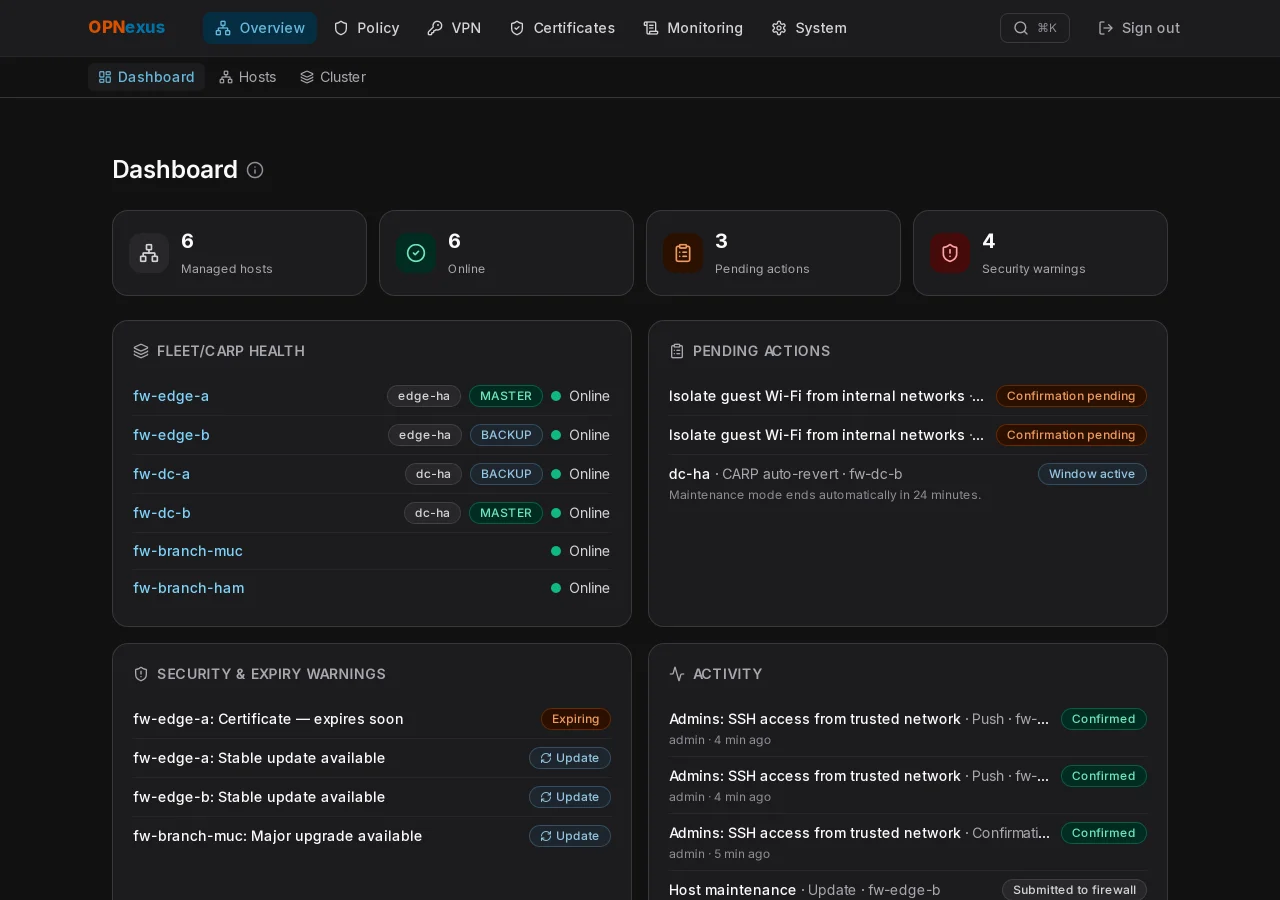
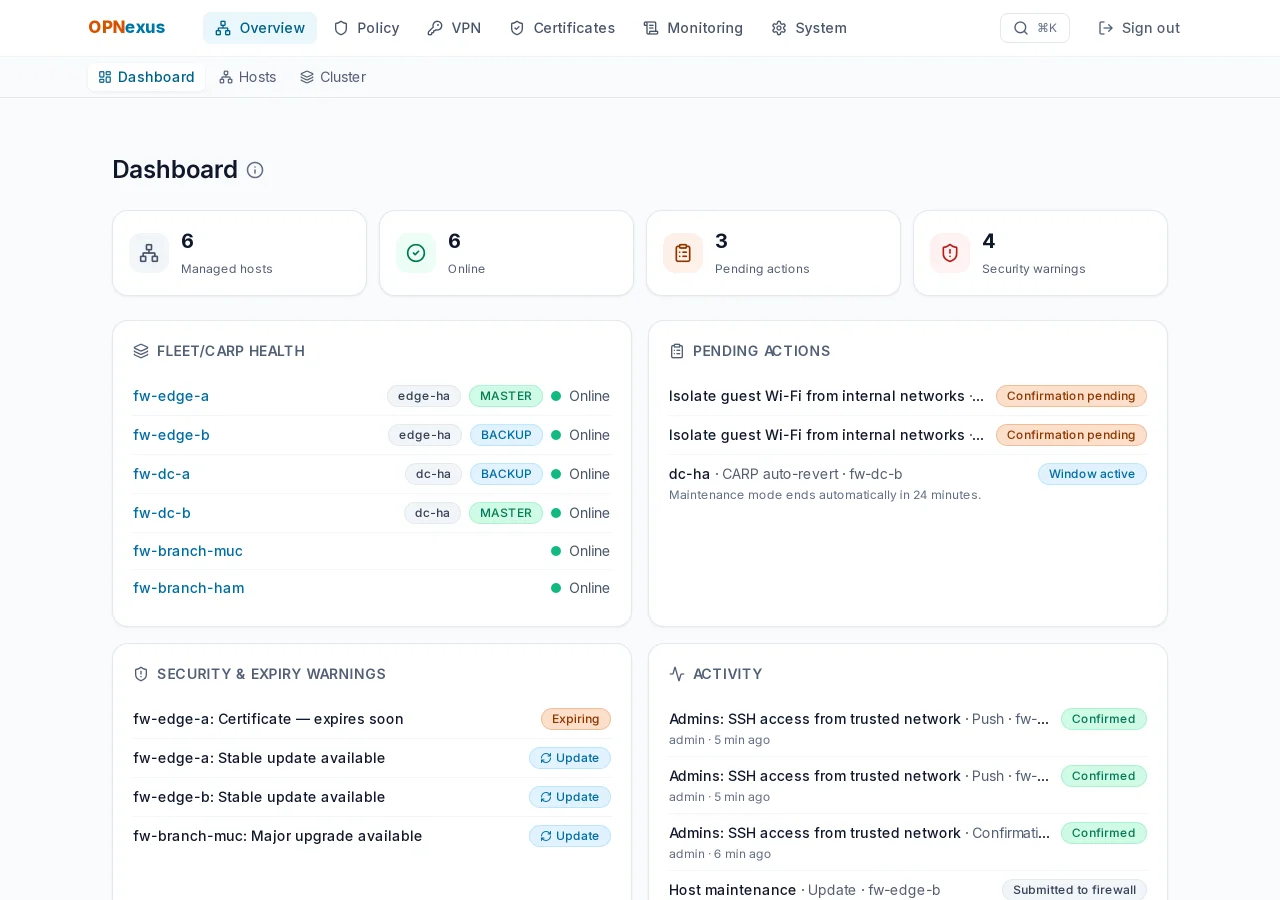
The dashboard shows what needs attention right now. HA pairs are grouped into clusters automatically.
Rules, aliases and device groups are maintained centrally. Hierarchical policies are inherited down group trees.
Manage port forwards, 1:1 NAT and outbound NAT centrally – including a live view of what is really active on the firewall.
Define a tunnel once and roll it out to the target hosts – with a certificate choice per host.
The live overview lists every certificate in the fleet with its remaining lifetime. The trust store distributes certificates centrally.
OPNexus ingests firewall logs itself and keeps a complete history of every change.
The Update Center checks the whole fleet and walks you through HA updates – with the order of the nodes in mind.
OPNexus is built for small screens from the ground up: check an incident from the sofa, prepare an update on the train. Every view works from 375 pixels wide.
Buttons and menus are made for thumbs – no tiny links in dense tables.
Main areas as an icon bar, sub-pages beneath. The quick search (Ctrl/⌘+K) jumps anywhere.
The colour scheme follows your system or your choice – readable in a dark server room, too.
Automatically checked with axe-core on all 18 pages (WCAG 2.2 AA), fully keyboard operable.
Drag the handle: dark design on the left, light on the right. This site follows your system, too.
More than a rule editor: OPNexus covers the day-to-day running of a firewall fleet.
Live status, CARP role, cluster and policy membership; “Open in OPNsense” in one click.
HA pairs are grouped automatically by cluster name; MASTER and BACKUP side by side.
Every role change is recorded; alert on split-brain or a missing MASTER.
Optionally with an auto-revert timer (15, 30, 60 minutes or permanent).
CPU load, memory and disk for the last 24 hours per host.
List a firewall’s services and start, stop or restart them.
Pending actions, fleet health, security and expiry warnings, and an activity feed.
Maintain once, deploy to chosen hosts or device groups.
With a time window and automatic rollback if confirmation never comes.
Pre/post rulebases with inheritance down group trees, in the right order.
Bundle hosts: one target, many firewalls.
Network objects (host, network, port, group, MAC, ASN) with the same flow as rules.
Review earlier versions and restore them.
Differences between managed and actually active configuration are flagged.
Every deploy starts on probation – if you lock yourself out, it is rolled back when the time is up.
Define and deploy port forwards centrally.
With a live view of the rules actually active on the firewall.
Differences between the nodes of a cluster are detected.
Manage tunnels with pre-shared key centrally.
Server and client instances, optional TLS-Crypt, certificate and CA per host.
Servers and peers including optional pre-shared key.
All certificates and CAs in the fleet with remaining lifetime and status.
Import certificates centrally and distribute them to firewalls.
Issue directly from OPNexus – with a warning before any contact with a real CA.
Firewall logs are ingested, searchable and filterable.
Top sources, top destination ports and the pass/block split.
Maximum size and retention period of the logs are configurable.
Complete, with JSON export; survives deleting rules or hosts.
Signed webhooks and SMTP email for host offline, certificate expiry, drift, split-brain and failed rollback.
Stable updates and major upgrades for the whole fleet, with reboot hints.
Update the BACKUP first, CARP switch-over with confirmation.
A local configuration backup as a prerequisite; restore preview for saved backups.
Queue reboots and updates for a maintenance window.
Release images and opnexus update / opnexus rollback; optional new-version notice.
Bundled Caddy with an internal CA – also for bare IP addresses.
OPNexus trusts exactly the stored certificate of each firewall.
TOTP with recovery codes.
Admin and read-only; user management with password reset.
Last sign-in and failed attempts since the previous login.
Docker Compose on your server; your data never leaves it.
Fully usable from 375 pixels wide.
Ctrl/⌘+K jumps to pages, hosts and settings.
Colour scheme per user.
The entire interface, switchable per user.
Keyboard operation, focus ring, screen-reader labels, WCAG AA contrast.
A tool that may change firewalls has to treat credentials and changes with particular care.
A deploy starts on probation. Without confirmation it is rolled back; if the rollback itself fails, that stays visible.
Browser and OPNexus talk over HTTPS. Firewall certificates are pinned instead of clicking through warnings.
TOTP sign-in, a read-only role for observers and audit accounts.
Every request and every deploy result is recorded permanently.
OPNexus phones nothing home. The update notice is off by default and sends only a version query.
Read the code, audit it and adapt it for your own use – with no licence fees.
OPNexus follows semantic versioning. Every minor version gets a codename – the latest milestones:
Updatability: release images, opnexus update and rollback, optional new-version notice.
Versioned schema migrations – upgrades without hand-editing the database.
Accessibility: WCAG 2.2 AA contrast, keyboard operation, screen-reader labels.
Secure transport: HTTPS proxy, pinned firewall certificates, two-factor sign-in.
A calmer interface: hints as tooltips, log size limit.
Multilingual: the entire interface in German and English.
No. OPNexus uses the OPNsense core REST API. The filter and alias API is available without an extra plugin. You store an API key per firewall.
Every change is applied on probation. If you do not confirm within the time window (default: 3 minutes), OPNexus restores the previous state automatically. If that fails, the error stays visible and is reported.
On your own server (Docker Compose with PostgreSQL). There is no cloud and no account with us. The version notice is off by default; if you enable it, at most one request every 12 hours goes to updates.opnexus.dev – with no instance or user data.
Anyone who runs several OPNsense firewalls of their own – from a homelab to a mid-sized company. Multi-tenancy for service providers with many customers is deliberately not a goal.
Yes. CARP pairs are shown as clusters, role changes are logged, and updates run in a guided flow that starts with the BACKUP.
Nothing. Downloading, reading the source, adapting and using it – including commercially for your own firewalls – is free. Not allowed: reselling OPNexus or derivatives, or offering them as a competing product or service. Licence: PolyForm Shield 1.0.0 (source-available, not an open-source licence).
No. OPNexus is an independent project and is not affiliated with Deciso B.V. or the OPNsense® project. OPNsense® is a trademark of Deciso B.V.
With opnexus update: the tool pulls the new images, waits for “healthy” and rolls back automatically on problems; opnexus rollback also restores the database from the pre-upgrade backup. Ready-made release images arrive with the first public release.
OPNexus runs as a Docker Compose stack on your own server – your firewall data stays with you.
# Requires Docker with the Compose plugin
git clone https://git.opnexus.dev/opnexus/opnexus.git
cd OPNexus
cp .env.example .env     # set POSTGRES_PASSWORD
docker compose up -d --build
The UI is then reachable locally at http://localhost:3100. For access from other machines and production use with TLS, the handbook (in German) describes the bundled HTTPS proxy.
Ready-made release images including opnexus update and opnexus rollback are prepared and arrive with the first public release.
updates.opnexus.dev.Free, open and set up in a few minutes.